

ÀMÓJÚTÓ
Appearance
Start a project

Work

Four projects, shown honestly.

Logistics, school operations, fintech and a school-specific system. Designed, built and developed by ÀMÓJÚTÓ. Each entry says exactly what state the work is in.

Wayba

Wayba

LogisticsDevelopment demo

Designed, built and developed by ÀMÓJÚTÓ.

Digital-waybill and delivery workflows for customers, riders and operations.

Wayba is designed to follow a parcel from the waybill to confirmed delivery, so the sender, the rider and the operations team work from one shared journey. Its concept brand line is “Send it. Track it. Prove it.”

Representative workflow

  1. Create a waybill
  2. Coordinate the handoff
  3. Track progress
  4. Record delivery confirmation

Development demo. The artwork is concept branding, not interface captures.

No live service, users or tracking data are claimed.
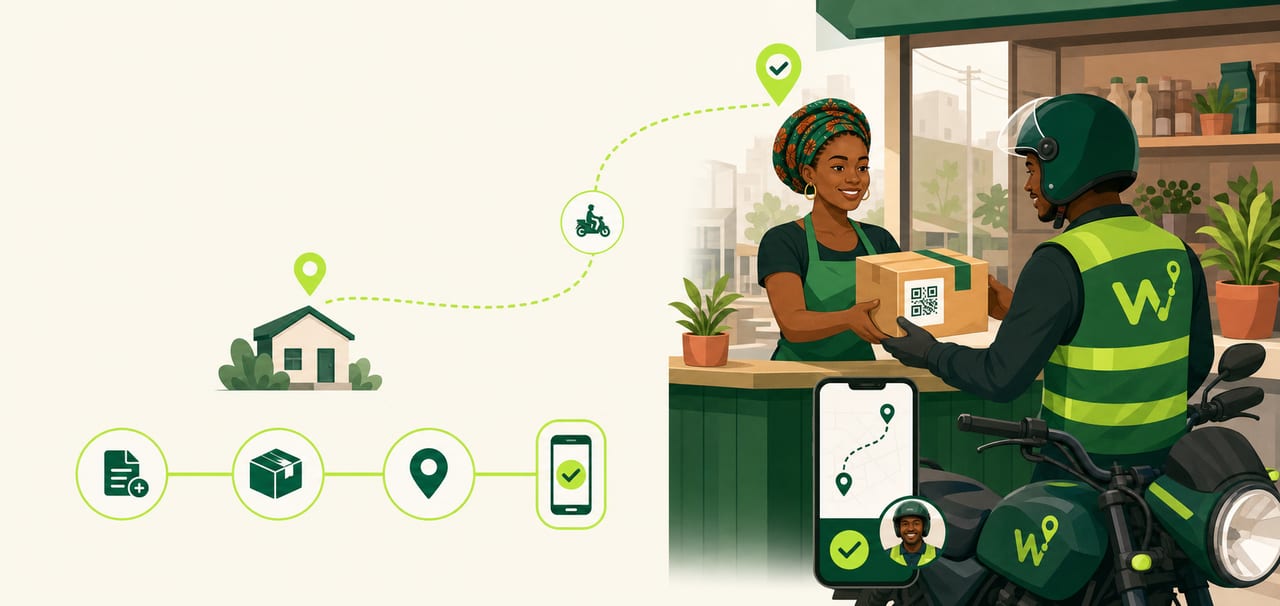
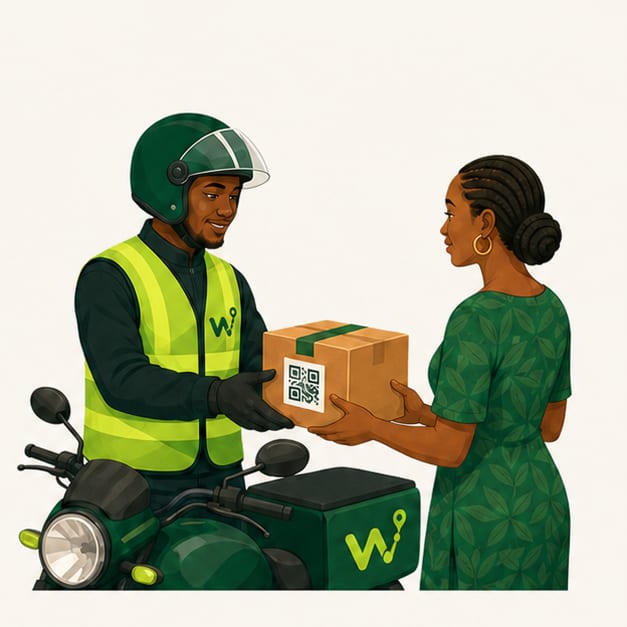
Wayba concept illustration: a shop owner hands a parcel to a rider beside a delivery route.
Wayba concept artwork. Not an interface capture.
A merchant creates a waybill on her phone beside a parcel.
A rider takes a parcel from a customer at the handoff.
A parcel travels along a route between two city landmarks.
A customer holds up a phone showing a delivery confirmed.

Wayba concept illustrations for the four stages. Illustration, not interface captures.

EDU SSOS

School operationsDevelopment demo

Designed, built and developed by ÀMÓJÚTÓ.

A role-based school operating system connecting records, academic work, communication, assessment and leadership oversight.

Workspaces for the principal or administrator, teacher, parent, student, proprietor, bursar and CBT candidate are represented in the development work. Each role sees its own records and tasks.

Roles representedPrincipal/Admin · Teacher · Parent · Student · Proprietor · Bursar · CBT candidate

Representative workflow

  1. Open the right role workspace
  2. Review the record or task
  3. Act within that role
  4. Review or release the information

Historical development work, shown as a demo with synthetic data.

Some fee and finance capabilities were planned for a later phase or simulated, so they are not presented as finished.

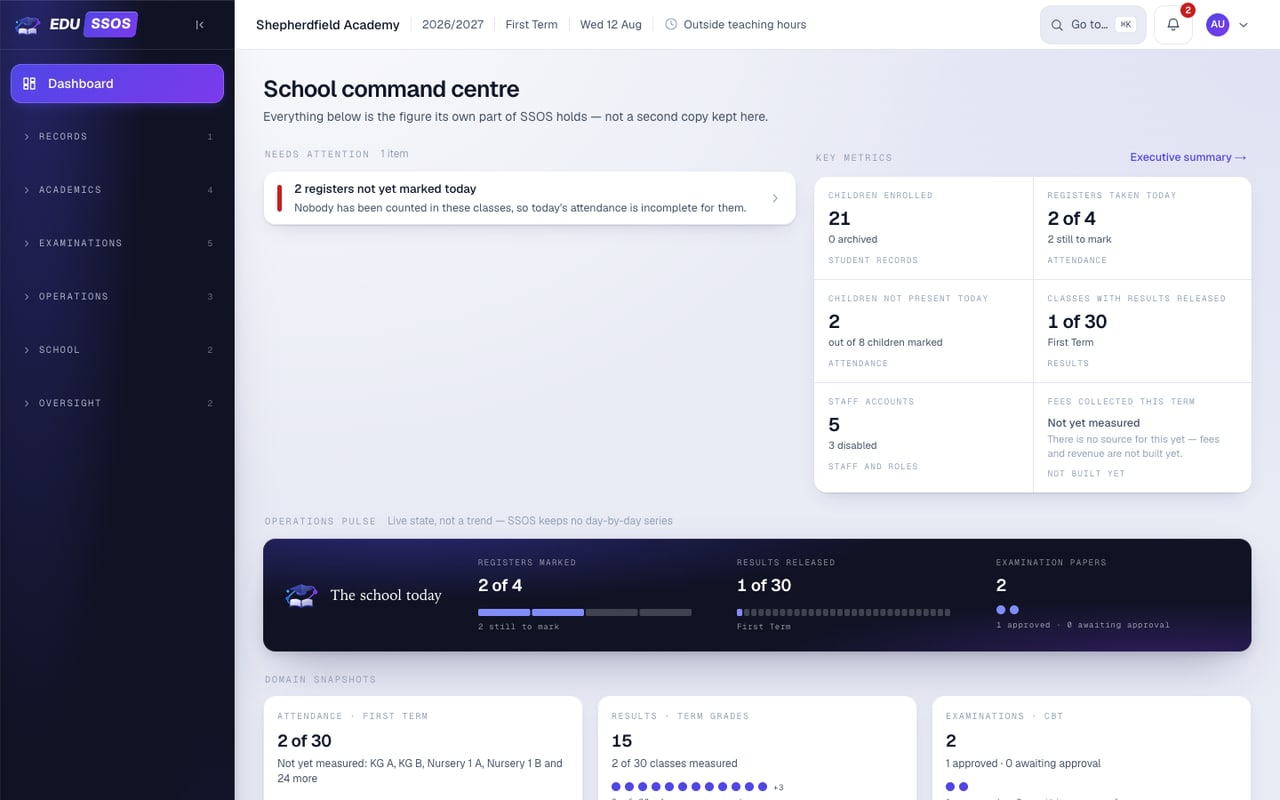
EDU SSOS principal dashboard showing attendance, results and examination status with sample figures.
EDU SSOS principal dashboard. Development demo with synthetic data; the school name and figures are placeholders.
Veyra

Veyra

Fintech and mobileIn development

Designed, built and developed by ÀMÓJÚTÓ.

A Nigerian mobile-wallet and payments product with wallet, transfer, bill-payment and transaction-support journeys.

The current mobile direction is organised around five areas: Home, Pay, Activity, Profile and Guardian.

Representative workflow

  1. Review the wallet
  2. Choose a payment route
  3. Review the transaction
  4. Follow its status or support case

In development. The recorded development snapshot reached a foundation stage, without an end-to-end payment.

Not presented as a live or licensed financial service. No balances, integrations or customers are claimed.

Veyra brand artwork: a teal and navy V with motion lines on a dark ground.
Veyra mobile brand artwork. Not a wallet screen.
Veyra wordmark
Veyra wordmark, the product's own identity.
Shepherdsfield International College, Oyo crest

Shepherdsfield School System

School-specific softwareSchool system project

Designed, built and developed by ÀMÓJÚTÓ.

Software for Shepherdsfield International College, Oyo: CBT, Results and Payroll applications, with the school website and related online checking surfaces.

A school-specific project. It is related to our EDU SSOS work but is a separate system with its own identity.

Applications and their workflows

CBT

  1. Prepare exams
  2. Candidates sit on the school network
  3. Review and collate results

Results

  1. Enter and validate marks
  2. Prepare and print reports
  3. Publish approved results when the school chooses

Payroll

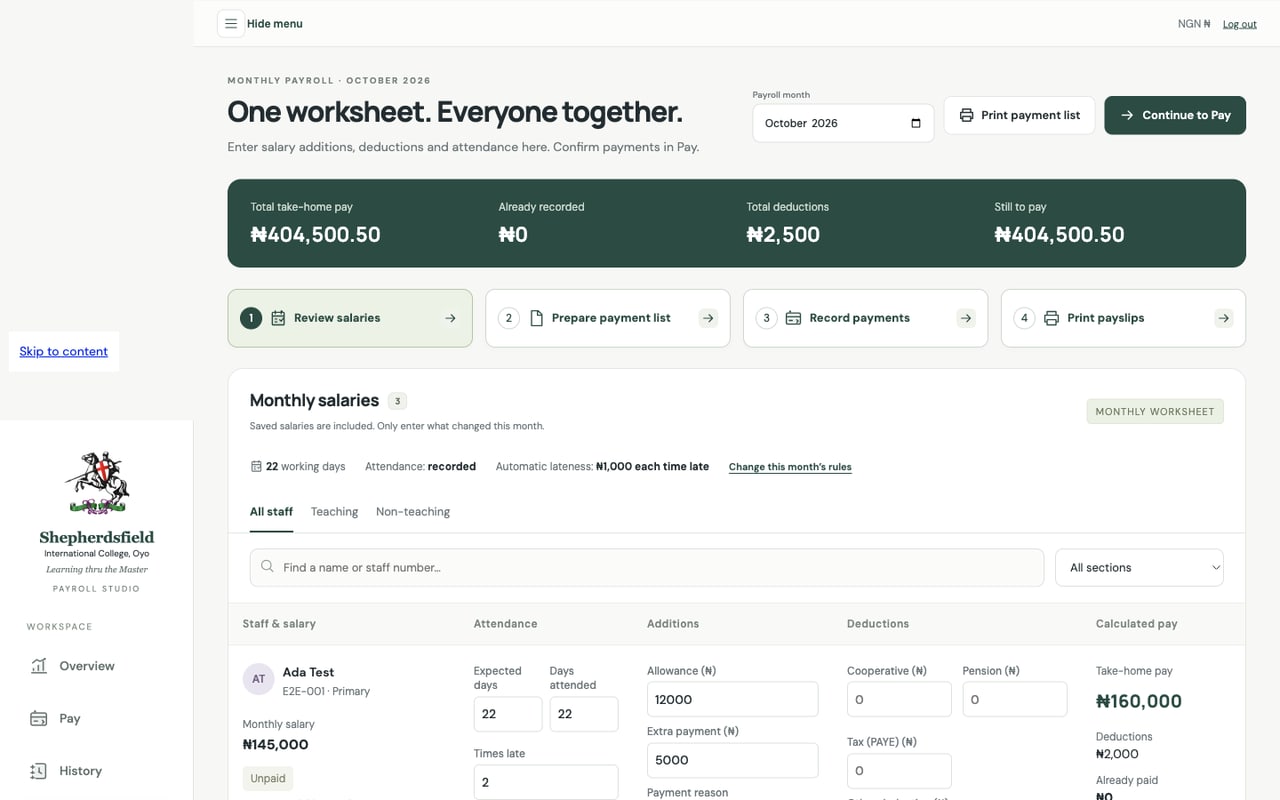
  1. Prepare the salary worksheet
  2. Print the payment list
  3. Record payments made outside the app
  4. Produce payslips and history

Payroll does not transfer money.

School website

  1. Public school information
  2. The results-access journey

The public website is separate from the staff applications.

Installation status differs between modules and is not stated here.

Screens use a branded preview or sample data, never the school’s real records.

Opens the school’s public website. Staff applications are not public.

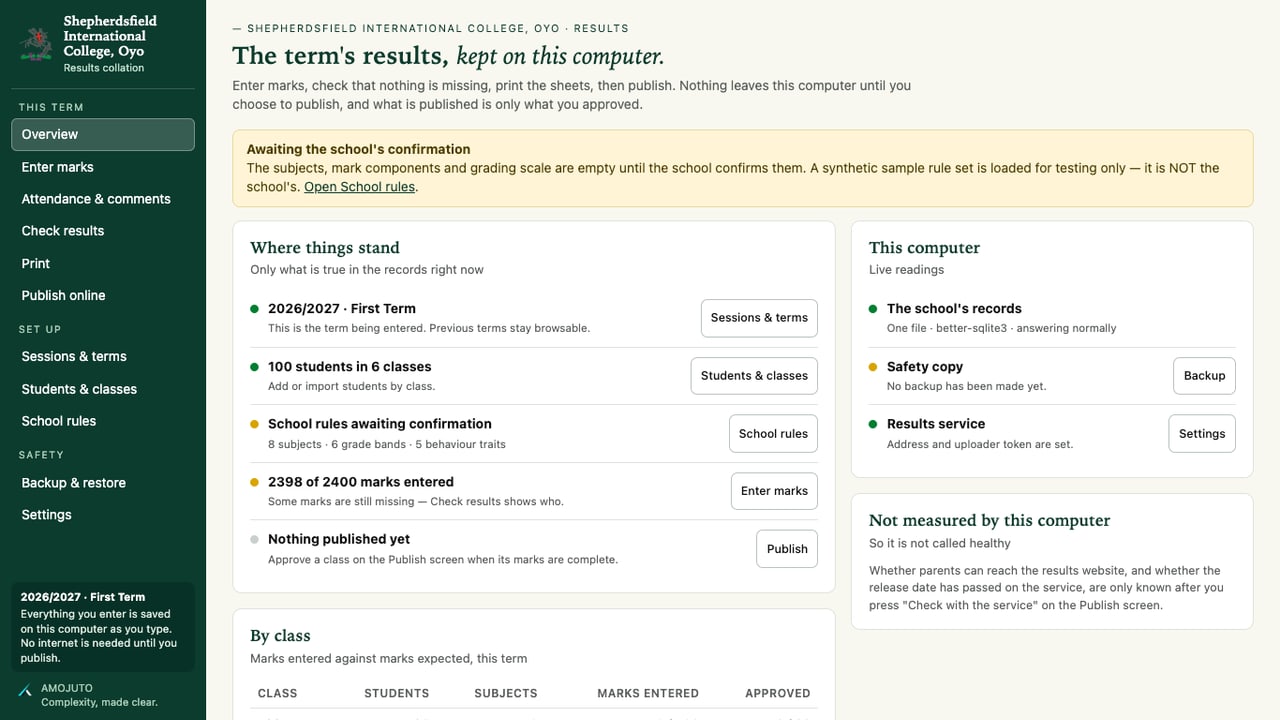
Shepherdsfield Results overview: term status, marks entered and publishing state, with sample data.
Shepherdsfield Results. Demonstration using sample data.
Shepherdsfield CBT startup screen showing the school crest.
Shepherdsfield CBT. Branded startup preview, not an examination screen.
Shepherdsfield Payroll monthly worksheet with four steps: review salaries, prepare payment list, record payments, print payslips.
Shepherdsfield Payroll. Demonstration with fictional staff and figures.